
How to Choose FiveM Peds for Police, Gang and Civilian RP
Pick FiveM peds that fit police, gang and civilian roleplay. Use the store tags and previews to shortlist characters for your server.

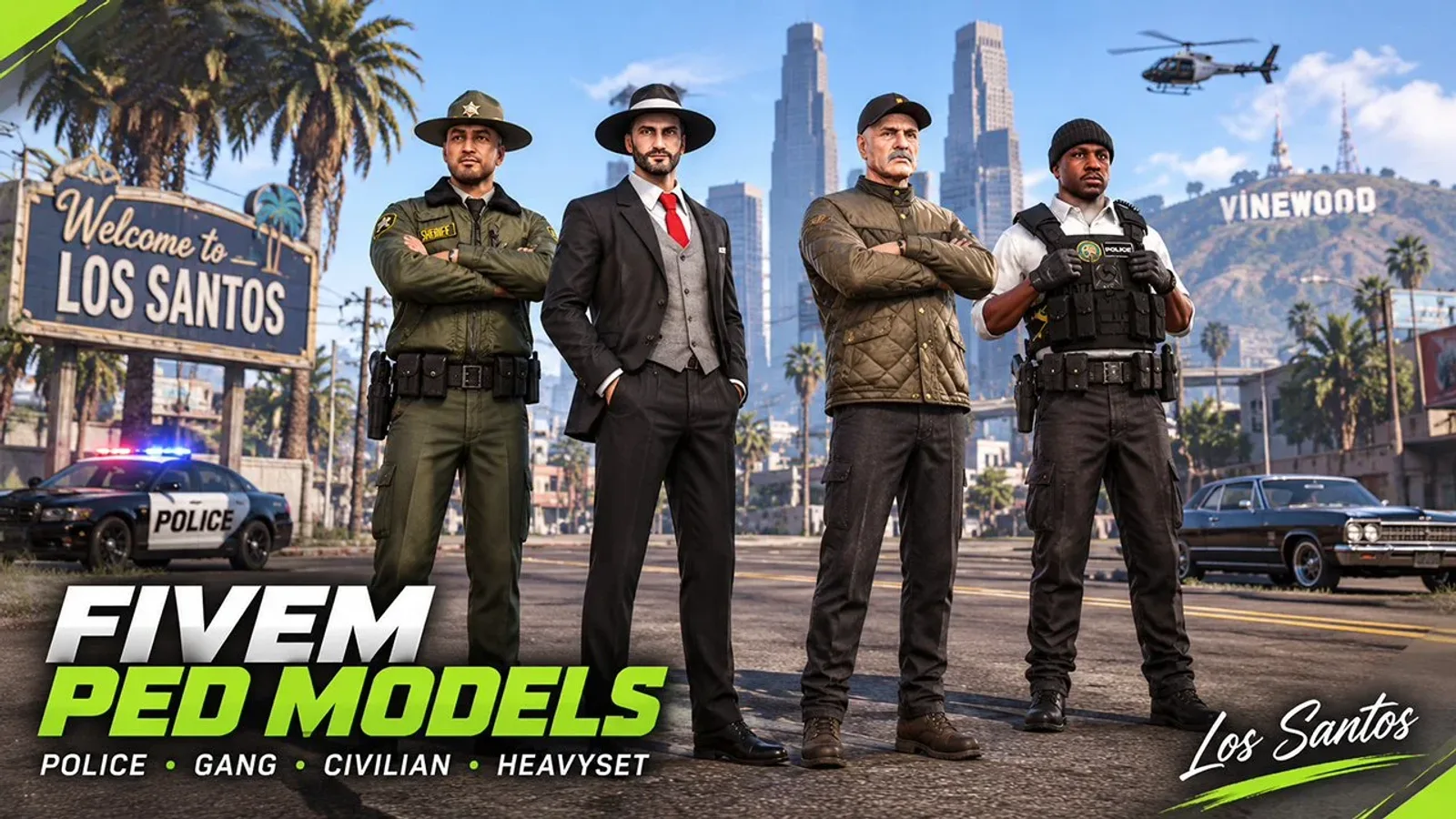
A police department, a street gang and a civilian job do not need the same characters. If you pick peds one at a time from a long catalog, you end up with a mixed set that fits no role well. This guide works the other way round. Decide which roles your server needs, shortlist a few peds for each, then check the details that cause problems later: height, build, version and server setup. Every ped named below is a product in the Pewe Studios store.
Start with the role, not the model
Write down the roles your players actually use. On most roleplay servers that means a police or sheriff department, one or more gangs or crews, and civilians with jobs and businesses. If you run an EMS department, add medical staff as a fourth role.
For each role, shortlist a small set of peds. Add them, test them on your server, and expand only when they load and look right. A few well-chosen peds per role are easier to test than a large pack added at once.
Three questions help you decide: does this ped look like someone who belongs in the role, do the peds in the role look different enough from each other, and does the role have both male and female options?
The tags on the Escrow peds page help here. They include Police, Gang, Medical, Male, Female, Height 105%, Short 80% and Short 95%. The sections below use them.
Police peds
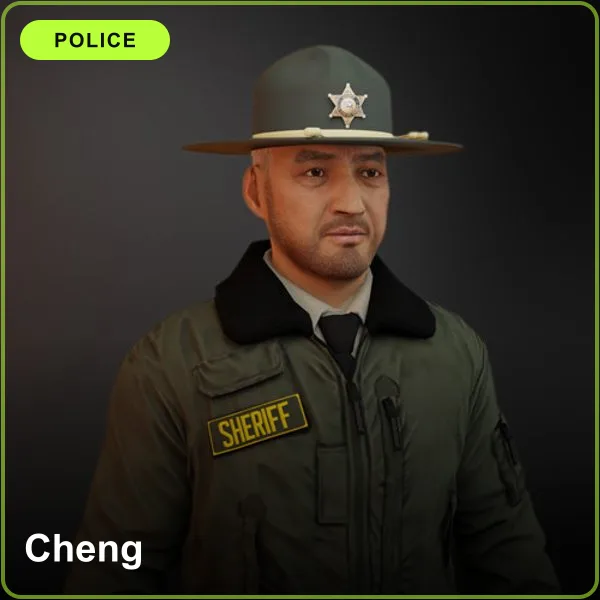
A police department needs several officers who do not all look alike. Cheng (pictured), Julio Bert and Ethan carry the Police tag, and Jennifer is a female option for the same department. Each comes as an Escrow ped and as an Open Source version marked [OP] in the product name.
For larger departments, mix in the heavyset police peds described below. Different builds make a group of officers easier to tell apart.
Gang and crew peds
Only two peds carry the Gang tag: Jose and Felix. Both also come as Open Source versions. If you run more than one crew, you can still use other male and female peds and give each crew its own look through textures.
Textures are where gangs get their identity: colors, logos and patches. On an Escrow ped the 3D model is locked, but the texture file (.ytd) is unlocked, so you can edit it in OpenIV or an image editor to change colors, logos or faction branding. On an Open Source ped the master files are unencrypted, so you can edit meshes as well as textures. If you want a patch or logo design you cannot make yourself, you can request a custom commission (more on that at the end).
Civilian peds for jobs and businesses
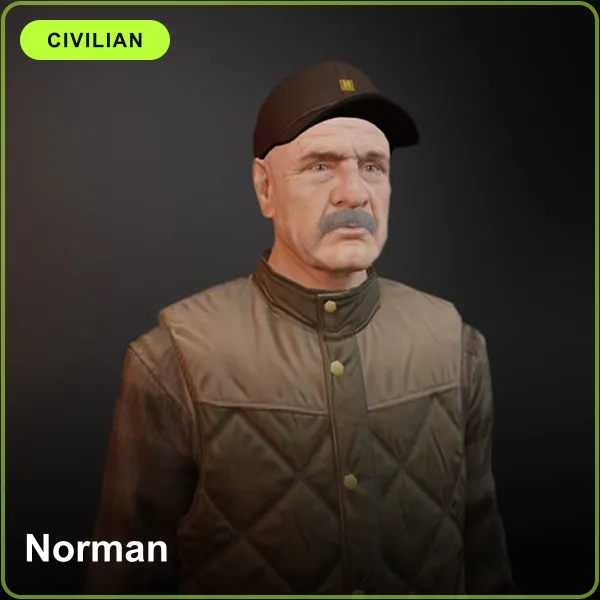
Civilians are the largest group on most servers, so they need the most variety. Aim for a mix of male and female peds with different styles, so shop owners, mechanics and taxi drivers do not look identical. Each ped below comes as Escrow and as Open Source:
| Ped | Gender |
|---|---|
| Norman (pictured) | Male |
| Felix (also tagged Gang) | Male |
| George | Male |
| Garry | Male |
| Milton | Male |
| Anita | Female |
| Michelle | Female |
| Angel | Female |
| Yuna | Female |
| Adeline | Female |
Most civilian peds are tagged only Male or Female, so use those two tags on the Escrow page to browse them. A ped can serve more than one role: Felix works as a gang member or a civilian, and the outfit and your server's story decide.
Male, female and body size
Check that every role has both male and female options, and use the Male and Female tags to confirm it. Then look at the size tags. A ped with the Height tag is taller than a normal ped. A ped with the Short tag is shorter than a normal ped. On the Escrow page these appear as Height 105%, Short 80% and Short 95%.
Size tags are useful for variety. A group of officers or a crew looks more natural when members do not all stand at the same height. Check the tag before you buy so the size is not a surprise on your server.
Heavyset peds
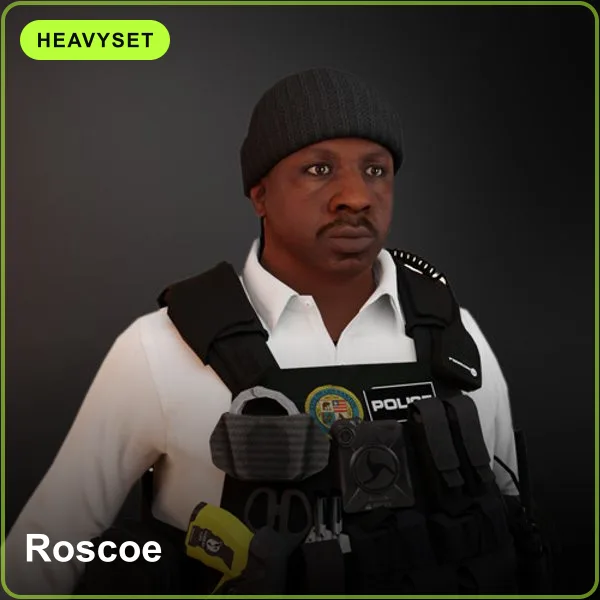
Server owners also look for heavyset or "fat cop" peds, and the store has six of them. Each comes as Escrow and as Open Source:
| Ped | Gender | Tags |
|---|---|---|
| Roscoe (pictured) | Male | Police |
| Selena | Female | Police |
| Andreas | Male | Police |
| Bobby | Male | Police |
| Andrew | Male | Police (Open Source listing) |
| Marcus 80% | Male | Police, Short 80% |
A heavyset officer works well next to slimmer officers, and the same peds fit civilian roles such as shop owners if your server wants them there.
Check the version and license first
Paid peds come in two versions. Escrow peds use Cfx.re Asset Escrow: the 3D model (.ydd) is locked, the textures (.ytd) stay editable, and the license is bound to one Cfx.re account after a one-time transfer. Open Source peds include unencrypted master files that you can edit and use on multiple servers, and you should not transfer that license; download the files directly from Portal CFX instead.
If you run one server and mostly change colors and logos, Escrow is usually enough. If you run several servers or want to edit the model, choose Open Source and read the Open Source Terms of Service first. The documentation explains both versions in full, and you can browse them on the Open Source peds page.
Check your server setup
All Pewe Studios peds support ESX, QBCore and QBOX. A ped is an add-on model, so your server also needs a ped menu or clothing shop that supports add-on peds. Check with your server developer before you buy, because every server is set up differently.
When you have the files, the installation guide walks through putting a ped in your resources folder, adding it to server.cfg and registering it in your ped menu. The FAQ answers common questions about delivery, licenses and updates.
Ped Menu and Illenium Appearance are two different jobs
Two scripts come up in most ped setups, and they do different jobs. They are not alternatives to each other.
- Illenium Appearance is a free clothing script. It changes what a ped wears. We recommend it because it is free, and our installation guide uses it as the example for registering add-on peds.
- The Pewe Ped Menu is a standalone script that spawns peds. It integrates with Illenium Appearance.
The Ped Menu product page lists ESX and QBcore, so check it against your framework before you buy the script. This applies to the script only; the peds themselves support ESX, QBCore and QBOX.
Preview and test before you commit
Each product page shows preview images and details, so start there. Then check how the ped behaves on a server.
- Try a ped from the free collection. Free peds are Cfx.re Escrow and may not be redistributed. Testing one confirms that your resource folder and ped menu are set up.
- See our peds in game on our test server. Join from FiveM by searching for "Pewe Studios" in the server list, or use the direct link cfx.re/join/865693.
- On your own server, add a few peds at a time, restart, and spawn each one before your players see it.
If a ped does not load, the troubleshooting guide FiveM Custom Ped Not Loading? lists the usual causes.
When a ready-made ped is not enough
Sometimes no ready-made ped matches the character you need: a face that does not exist yet, an outfit made for your department, or a gang patch with your own design. Pewe Studios takes custom commissions for face sculpting and rigging, clothing added to a ped, custom textures and tattoos, and conversion of external 3D models into FiveM stream files.
Prices start from $5. Delivery takes 3 to 7 business days depending on the queue, and 3 revision rounds are included. The work starts with a ticket on our Discord, followed by a fixed quote after we review your brief.
If you have 3D modeling and rigging skills, an Open Source ped is the other route: you can edit the meshes and add your own hair, uniforms or accessories yourself.
Next step
Browse the full catalog on the peds page, shortlist a few peds for each role, and test them on the test server before you commit. If you need help choosing, ask in our Discord.